Choosing a Model
Pentos gives you access to models from multiple AI providers. You can switch models at any time without losing context.
Available Models
Each provider’s models are listed from most to least expensive.
| Provider | Models |
|---|---|
| OpenAI | GPT 6 Astra, GPT 5.3 Codex, GPT 6.1 Sol, GPT OSS 120B, GPT 6 Luna, GPT OSS 20B |
| Anthropic | Claude Fable 5.1, Claude Opus 5.5, Claude Sonnet 5.5, Claude Haiku 5.5 |
| Gemini 3.1 Pro, Gemini 4 Argon, Gemini 3.8 Flash, Gemini 3.5 Flash Lite, Gemini 3.1 Flash Lite, Gemma 4 | |
| SpaceXAI | Grok 4.7 |
| Mistral | Mistral Medium 3.5, Mistral Large 4, Mistral Small 4, Ministral 3 14B |
| Moonshot | Kimi K2.7 Code, Kimi K2.6 |
| Z.ai | GLM 5.3, GLM 5.3 Flash, GLM 4.7 Flash |
| DeepSeek | DeepSeek V4 Pro, DeepSeek V4 Flash |
| Meta | Llama 4 Scout |
| NVIDIA | Nemotron 3 120B |
| IBM | Granite 4.0 Micro |
Models are added and updated regularly. Not sure which to pick? The Pentos Smart Router can choose for you automatically.
How to Select a Model
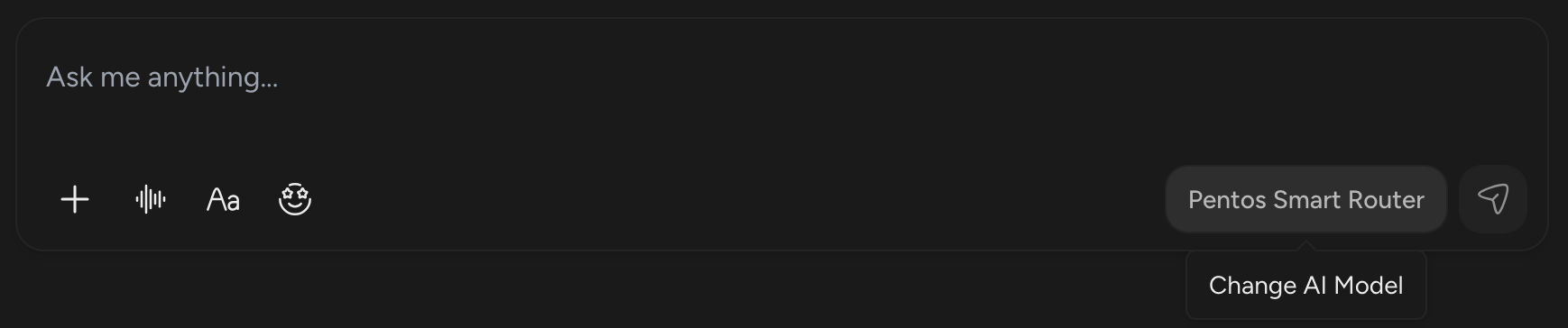
Before you send a message, the send button shows which model is currently selected. To change it, click the Change AI Model button to the right of the send button to open the model selector.
In the model selector, choose a provider and select a model from the list. Clicking a model shows its details in the right sidebar, including:
- A brief description and what it is best suited for.
- The model’s context window and supported file types.
- Reasoning, Speed, and Efficiency ratings. Reasoning comes from the model’s overall benchmark score, from BenchLM where it has published one, and shows as unrated when no score is available. Speed comes from the model’s measured output speed in tokens per second and shows as unrated when it has not been measured. Efficiency comes from the estimated energy of a typical message at the model’s measured speed, or at an estimated speed for a model that hasn’t been measured.
- The model’s Cost: how many points a response uses, or Free for a model that uses none. Standard or Max Mode, Web Search, and Connectors add their own points on top. Hover over the info icon next to Cost to see the model’s price per million input and output tokens. A model you run on your own API key uses no points: it shows Your API key, and a model that only works with your own key shows its input and output prices instead.
- Data Retention: what the model’s provider keeps of your request: None, Not logged, Up to 30 days, or Up to 55 days. It shows Your API key when the message runs on your own key. See Data Retention.
- For the Smart Router, the ratings, cost, and data retention show Varies, because they depend on the model it picks for each message.
- An Effort selector for models that support more than one level of reasoning. See Chat Controls.
- Use my API key: a toggle if you have saved a key for that provider, or Add API key if you haven’t. It is hidden for the Smart Router and for models that only run on Pentos. See Bring Your Own Key.
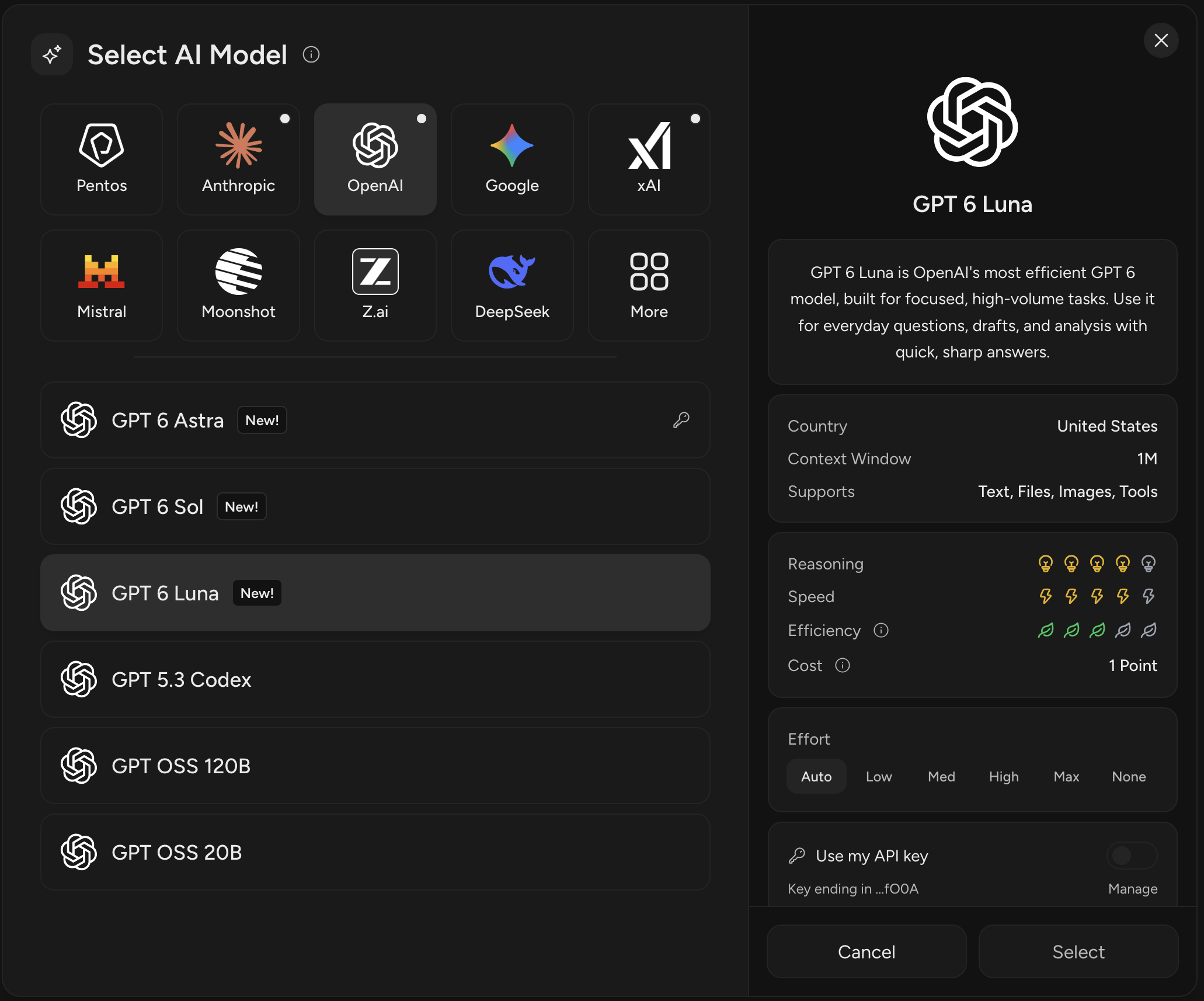
Once you’ve found the model you want, click Select and your next message will be sent to that model.
- Not enough points: if a model costs more points than you have left, the button reads Add Points and opens the upgrade options instead. The Smart Router, models that cost 0 points, and models you run on your own API key can always be selected.
- Own key required: Claude Fable 5.1 and GPT 6 Astra can be selected only after you turn on Use my API key with a saved key for that provider.
Setting a Default Model
To set a default model, open Settings, select Chats, open the Preferences tab, and under AI Preferences choose your Chat Model. New chats pre-select it automatically. The same section sets your default Image Model for image generation. See Choosing an Image Model.
The default model only applies to new chats. In an existing chat, Pentos pre-selects the model that wrote the last response, or the Smart Router if that response was routed.
Model Access
Every plan has access to the full model lineup, including the Pentos Smart Router, within its points. The only exceptions are Claude Fable 5.1 and GPT 6 Astra, which require your own API key.